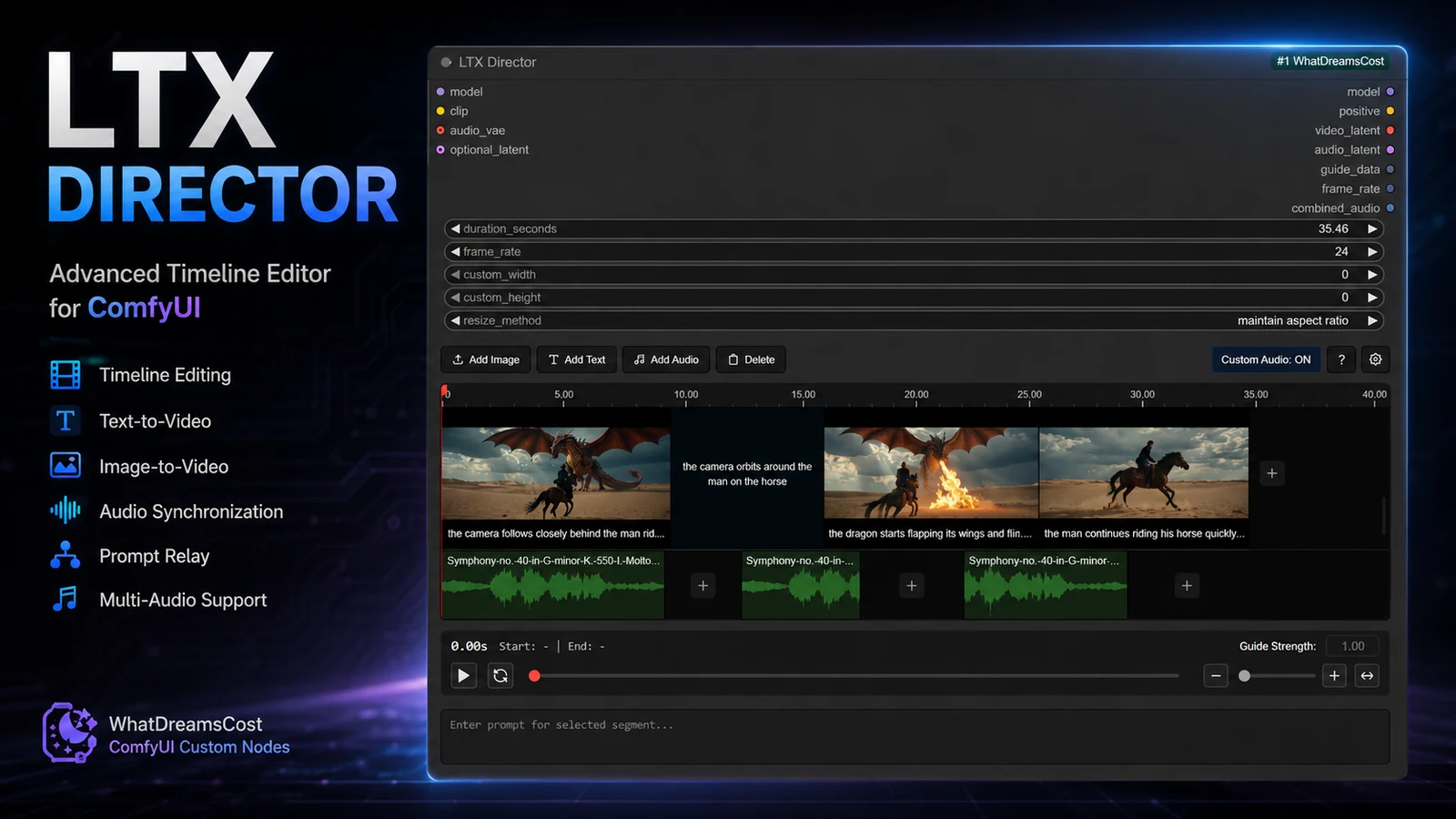
Finally, a single ComfyUI node that unifies everything around LTX 2.3 video generation – timeline, prompt relay, audio and keyframes. Let's take a look at what LTX Director by WhatDreamsCost can do and why it's worth trying.
What is LTX Director?
LTX Director is a new custom node for ComfyUI designed specifically for video generation with the LTX 2.3 model. It is the successor to two older nodes by the same author (WhatDreamsCost) – LTX Sequencer and Multi Image Loader – now merged into a single powerful tool with a complete timeline editor.
If you've ever tried to compose a longer AI video in ComfyUI, you know how quickly the graph fills up with dozens of nodes for keyframes, prompts and audio. LTX Director hides all of that inside a single node with an interface that looks like a mini version of professional editing software.
What the node does
- Timeline editor – drag images, text and audio onto the timeline exactly where you want them.
- Text-to-Video and Image-to-Video – switch modes directly in the node.
- First / Middle / Last frame workflow – set key frames and let the model fill in the rest.
- Prompt Relay – assign a different prompt to each timeline segment. Perfect for multi-shot scenes.
- Audio integration – import, trim and combine audio clips directly in the node. Works with prompt relay and frame workflows.
- Unlimited keyframes with built-in resize.
What you'll need
You must update ComfyUI-LTXVideo and ComfyUI-KJNodes to the latest version. The node won't run with an outdated LTXVideo.
- LTX 2.3 model (e.g.
ltx-2.3-22b-distilled-lora-384.safetensorsfrom the Hugging Face Lightricks repo) - LTX 2.3 audio VAE (
LTX23_audio_vae_bf16.safetensors) - ComfyUI with a decent GPU – LTX 2.3 is a 22B model, ideally 16+ GB VRAM
Example workflow to download
This article includes the official example workflow as a .json file – just drag it into ComfyUI and you have a working template with the LTX Director node, audio VAE and Lora loader. It uses ltx-2.3-22b-distilled-lora-dynamic and serves as a sensible starting point.
Links
- GitHub repo: WhatDreamsCost/WhatDreamsCost-ComfyUI
- LTX 2.3 models: Hugging Face → Lightricks/LTX-2.3